Resize a batch of product photos for an Etsy listing
Written · Updated · Operator (individual)
Your landscape and portrait product photos look different sizes when placed together in a listing. Cropping them one at a time makes the borders inconsistent, too. Choose a target frame and spacing first, then export the same source set into that frame as a batch.
Start with the frame and the actual product
A file can have thousands of pixels and still show the product too small, cut off an important edge or leave distracting text. Treat pixel dimensions and photo composition as two separate checks. This guide tests the repeatable export step; the final listing preview is where you judge how the product reads to a buyer.
Etsy’s current image guidance recommends listing photos with both width and height at least 2000 pixels. Its thumbnail advice favors horizontal images with room for different crops. We chose 3000×2000 as a landscape working recipe, rather than treating it as an exact required size. Etsy also warns that transparent areas may appear black. A JPG with an intentional background avoids relying on transparency for your listing layout.
MiruKit has editable output recipes and a custom-size option. Add an Etsy-named 3000×2000 recipe yourself; the tool does not need a special Etsy upload connection. If you also sell elsewhere, keep each destination’s image requirements with its recipe rather than assuming one platform’s settings apply everywhere.
Will it crop my photos or add borders?
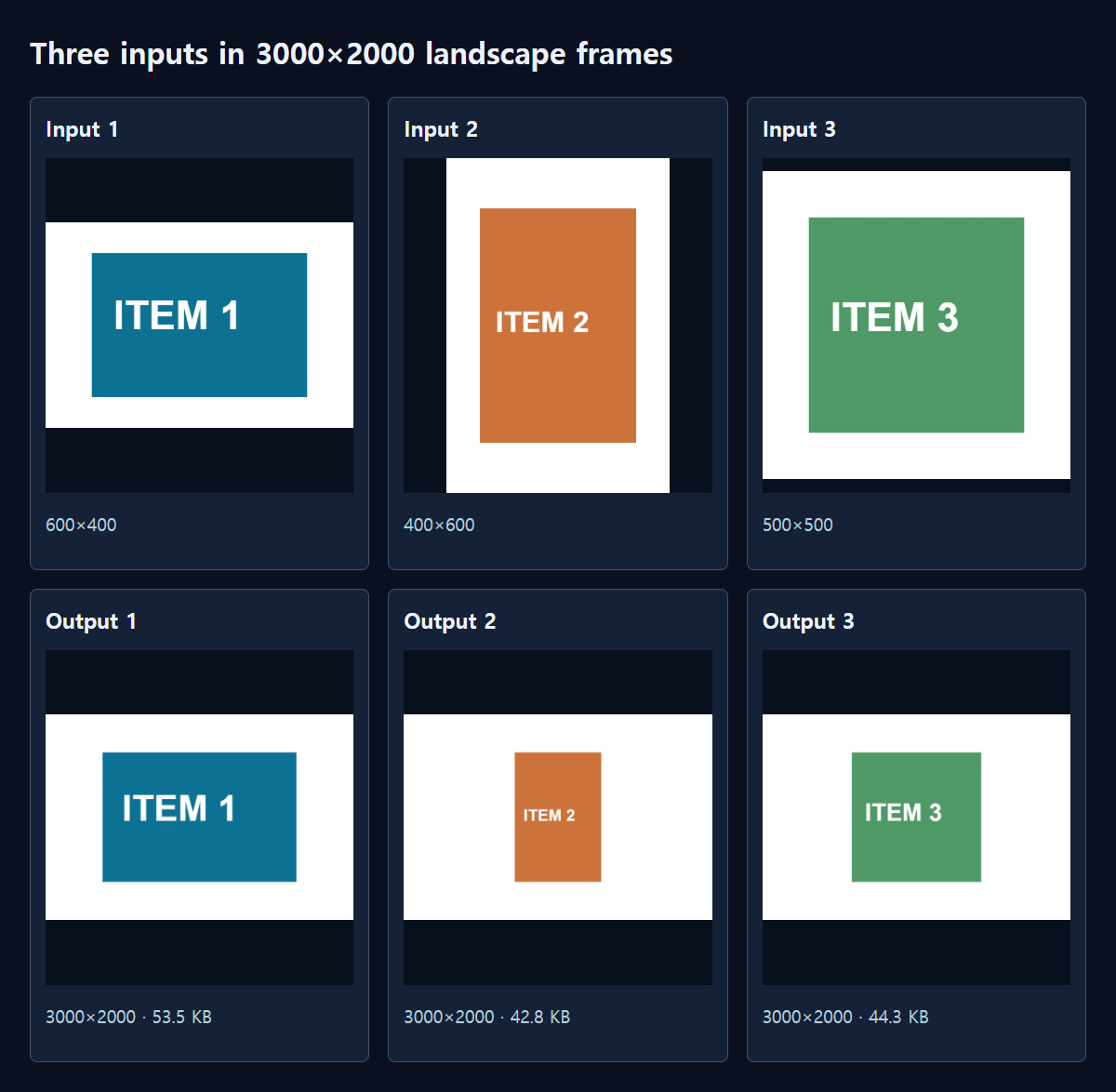
The multi-size exporter fits the whole source into the chosen frame, preserves proportions and fills the rest with white. Portrait and landscape sources can share a canvas, but their blank areas will differ. If the product needs to occupy more of the picture, crop the source deliberately before exporting or use a better-framed original.
Blank space already in the source remains part of that source. Setting extra padding to zero does not automatically trim a white border baked into a photograph. For consistent product scale across color variants, prepare similar framing before using the same batch settings.
What did our batch export produce?
We made three synthetic examples: 600×400 landscape, 400×600 portrait and 500×500 square. We exported each to a 3000×2000 landscape frame, with extra padding set to 5 and JPG quality 85. Three originals produced three files. We reopened the ZIP and checked their names and dimensions.
The landscape outputs were 53.5KB, 42.8KB and 44.3KB. The ZIP containing all three measured 141.1KB. In a separate square-frame exercise, three sources exported to two sizes produced six files; that is the version used in our Korean marketplace example. Our flat-color examples compress easily, so these sizes are not targets for real photographs. The useful result is that every source reached the requested dimensions without being stretched.
The examples explain the layout engine, not a finished marketplace listing. Use your own photographs of the actual product for a real Etsy listing, following Etsy’s image policy. The color blocks in our illustrations simply make scaling, borders and order easy to see.
How do I export the set in MiruKit?
- Add your photos in Resize and check orientation and source dimensions.
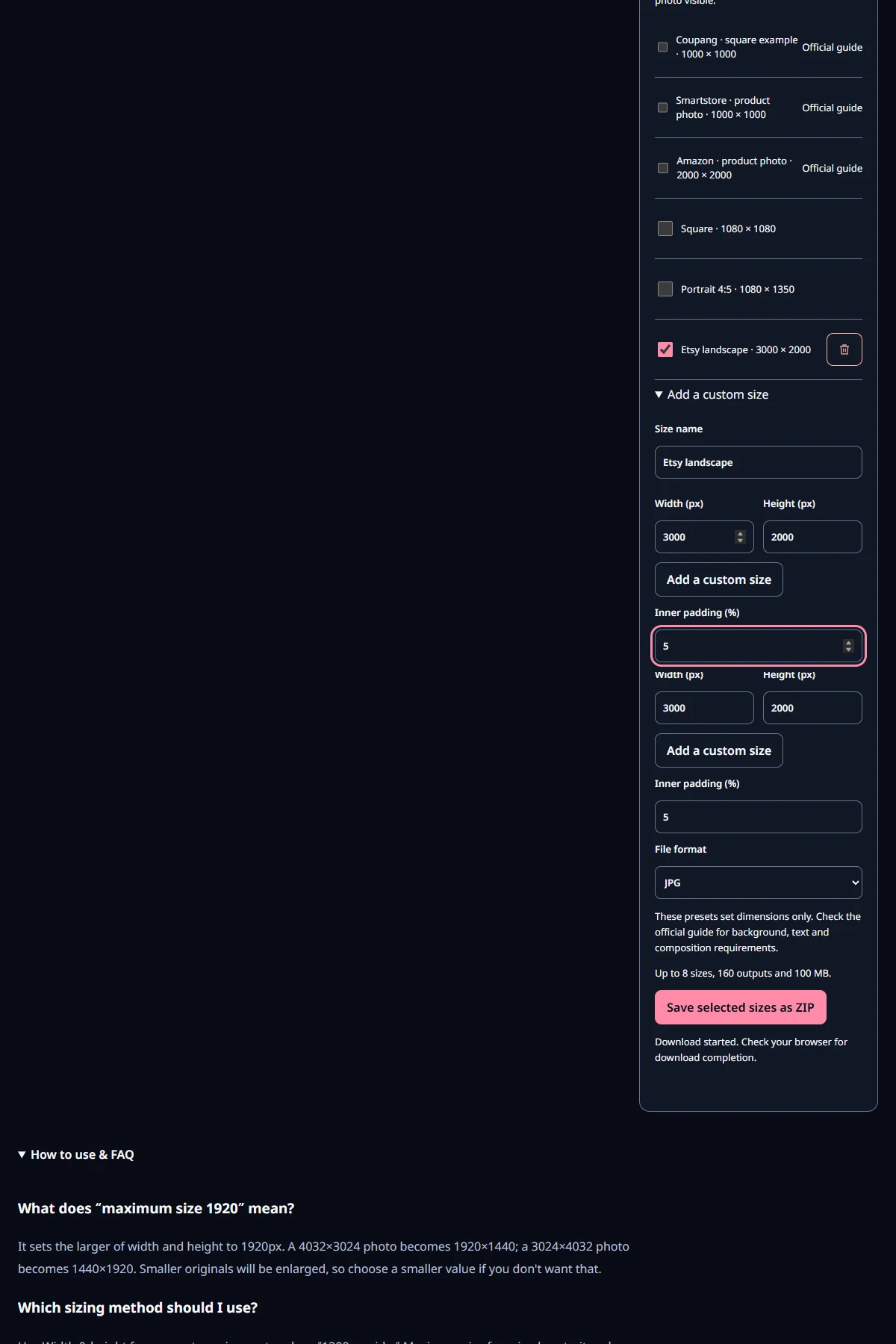
- Expand the multi-size export section, add a named custom 3000×2000 size and select it.
- Set the white border, trying one or two photos first so you can judge product scale.
- Choose a supported output such as JPG and save the ZIP. Every selected recipe is generated from the original source, rather than from a smaller exported sibling.
- Extract it, check the count and dimensions, then inspect the actual Etsy listing preview for crops and small details.
Can I reuse the settings for the next product?
Save a clearly named tool preset, such as “Etsy landscape with white border.” If you change dimensions or padding for another collection, give the new setup a different name. Stored settings and work history belong to this browser, so keep any values you need when moving to another computer or browser.
For additional marketplaces, create separate recipes and read their current official guidance. For example, SmartStore recommends a different representative-image size from the Etsy working frame here, and Coupang’s supplier catalogue guidance also includes composition and overlay rules. Matching dimensions alone is not the whole publication check.
Open the related toolMeasured with MiruKit
| Source | Landscape output | Saved size |
|---|---|---|
| Example 1 | 3000×2000 | 53.5 KB |
| Example 2 | 3000×2000 | 42.8 KB |
| Example 3 | 3000×2000 | 44.3 KB |
The shipped renderSizes exported three synthetic inputs at 3000×2000 with padding 5 and JPG quality 85; the ZIP was reopened. A separate square-size exercise produced six files. These examples are not approved marketplace photos or size estimates for real photos.
Good to know
Check Etsy’s current image guidance and listing preview before publishing. Its recommendation is not a guarantee that every crop or composition will suit your item.
Enlarging a small original to a large frame adds pixels, not captured detail. Keep a clean original separate from promotional images containing text or logos.
Official sources
- 스마트스토어: 이미지 권장 크기
- 쿠팡 공급업체 카탈로그 안내 11쪽
- Etsy: image requirements and thumbnail advice
- Etsy: original product photographs
Sources checked 2026-10-15